
ClothShift – AI Fashion Try-On
ElmaDevBeauty
1.83.00 Reviews
- Version
- 2026.5.7
- Installs
- 50.00K
- Age Rating
- Everyone
Screenshots
Our Review of ClothShift – AI Fashion Try-On
 Analysis by Appyee
I think the most important question to ask before trying an AI outfit app is not whether the preview looks fun, but how much confidence you should place in it. ClothShift – AI Fashion Try-On is a beauty app from ElmaDev, released in January 2025, and its central appeal is easy to understand: use a photo to explore clothing looks without changing into each outfit. That can make browsing more playful, but a generated image is still a visual experiment, not proof of how a real garment will fit, feel, or hang.
What a virtual try-on can—and cannot—tell you
I would use a try-on result to answer a narrow question: “Do I like this color or general silhouette on me?” It may help me compare a few styling directions before I spend time searching or shopping. I would not treat it as a reliable size check. Fabric weight, stretch, tailoring, and the way a garment moves are practical details a still image cannot settle, so I would check a retailer’s measurements and return terms separately before buying.
That distinction matters most for clothes where fit is the point: fitted trousers, a structured jacket, or anything ordered for a specific event. For a broad style choice—say, whether a warm-toned top works better than a cool-toned one—the preview can be more useful. I’d keep the question modest and the result in perspective.
Privacy deserves a pause before uploading
A personal photo is a more sensitive input than a product image, so I would decide what I am comfortable sharing before opening the camera roll. Use a picture you are happy to use for this purpose, and avoid choosing one that includes other people, visible documents, or a location detail you would rather not share. A plain background can also make the clothing easier to judge, even without assuming anything about how the app processes images.
I would also look at the permission prompts on my device and grant only what I need for the action I want to take. If I am selecting an existing picture, I would prefer the narrowest photo access option the operating system offers. If I am not ready to provide a personal image, that is a good reason to skip a photo-based try-on rather than upload one just to see what happens.
Choosing a sensible first test
Instead of starting with a full outfit and a complicated pose, I would begin with one clear, front-facing photo and one garment idea. That makes it easier to judge whether the result is helpful or merely attractive. I would keep the lighting ordinary and the clothing in the source image uncomplicated, then compare the generated look with what I actually want to wear. If the image changes body proportions or hides details, I would treat that as a limitation of the preview rather than a verdict about my appearance.
This is also a useful way to answer a practical question: do I enjoy experimenting with a digital styling tool enough to keep using it? If the first result feels off, I would try a different suitable photo once before drawing a conclusion. I would not spend time repeatedly tweaking images in the hope that a convincing preview will guarantee a good purchase.
For context, the app is free to install, rated for everyone, and has optional in-app purchases priced from $2.99 to $14.99 per item. Its average rating is 1.8 from 107 ratings, while 50K+ installs show that people have tried it. I would read that low average as a reason to set expectations carefully, not as a complete explanation of every person’s experience. The current version is 2025.10.04, and the minimum operating-system requirement is Android 7.0.
When it fits into everyday shopping
Picture me getting ready for a casual dinner and trying to decide whether to wear a bright shirt or a darker one. I could use a virtual preview to explore the overall mood, then make the real decision by checking what is clean, comfortable, and suitable for the weather. That is a low-stakes use where a visual nudge may save me some indecision. It is less useful if I need to know whether a particular cut will pinch at the shoulders or whether a fabric will feel comfortable for a long evening.
I would also keep the app separate from the final shopping checklist. If I like a look, I can note the color combination or silhouette, then find a real item and review its size chart, materials, and seller details. That two-step habit prevents the polished image from doing more persuasive work than the actual product information deserves.
Discovering the Magic of ClothShift
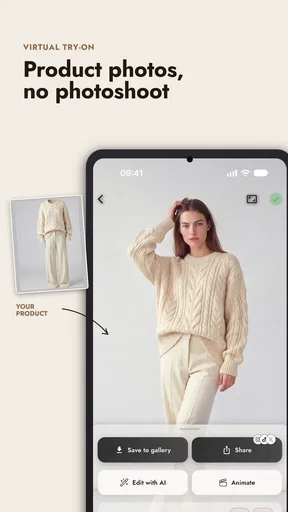
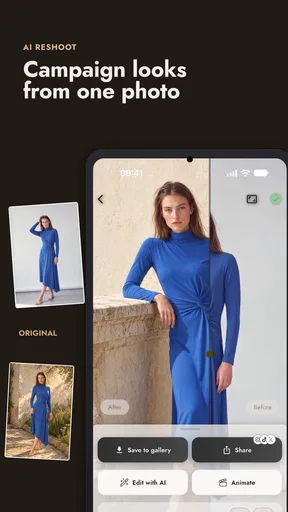
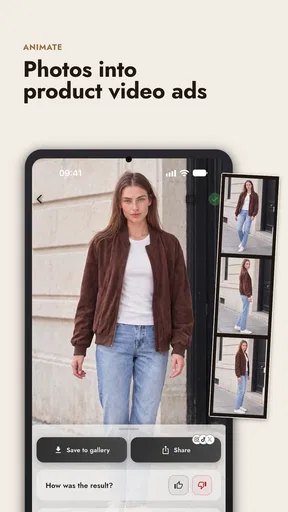
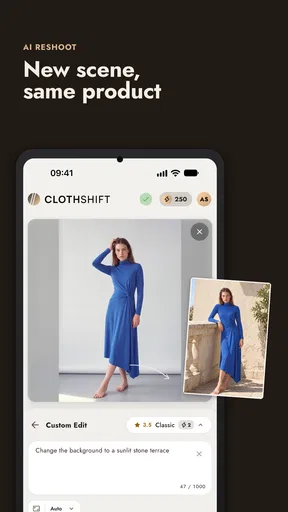
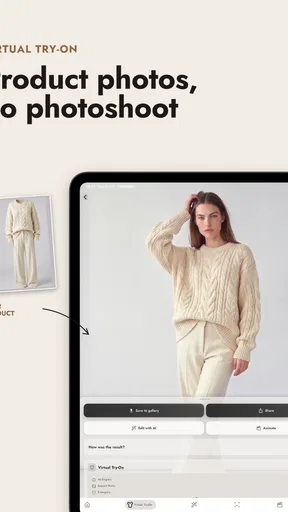
So, what's the deal with this app? ClothShift uses cutting-edge AI technology to let you try on clothes virtually. Yep, you heard that right. You can see how that cute top or those sleek jeans will look on you without stepping into a changing room. How cool is that?
How It Works
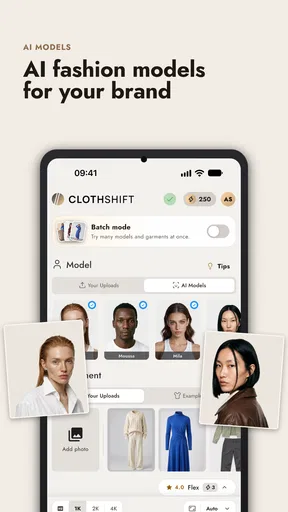
First things first, you download the app, which is available for both Android and iOS. The interface is pretty user-friendly, so you won't need a degree in rocket science to navigate it. Once you're all set up, you just upload a picture of yourself, and the magic begins. The AI maps your body and lets you try on different outfits from a wide selection of styles. It's like having your personal fashion runway right in your pocket.
Dressing Room in Your Pocket
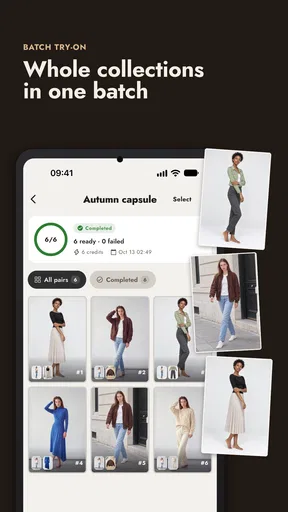
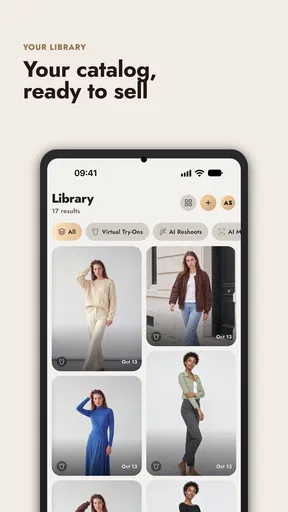
The app has a vast collection of clothes from various brands. Whether you’re into streetwear, high fashion, or something in between, ClothShift has got you covered. You can mix and match outfits, experiment with colors, and even accessories. It’s also a great way to discover new trends without having to scroll endlessly through fashion blogs.
I would use that browsing experience as a source of ideas, not a replacement for trying clothes on in person. A preview can help me narrow down the colors and combinations I want to explore, but it cannot tell me whether a particular item is comfortable or made well. If I already know the real garment and its measurements, a store’s own fit information is a better guide to whether it is likely to suit me.
Features That Stand Out
One thing I love about this app is the real-time rendering feature. The AI is super fast, so you don't have to wait around to see how the outfit looks on you. Another nifty feature is the style suggestions. Based on your previous choices, the app recommends new outfits that you might like. It's like having a personal stylist who knows your taste better than you do!
For a more useful comparison, I would keep one outfit idea in mind while exploring suggestions. That gives me a simple way to judge whether the recommendations are actually helping: do they show a combination I had not considered, or just keep circling around the same taste? I would not assume a recommendation reflects a deep understanding of my style; it is better treated as a prompt for experimentation than as a reason to buy something.
Saving Time and Money
Let’s be honest, shopping can be a hassle. Trying on clothes, waiting in line, and returning items that don’t fit can be a real drag. With ClothShift, you get to skip all that. You can see how the clothes look on you before making a purchase. This means fewer returns and less stress. Plus, it’s a great way to plan outfits for those special occasions without leaving your house.
I would be cautious about expecting a virtual preview to reduce returns by itself. It can help me rule out a color or broad style I dislike, but fit problems often come down to measurements and construction rather than appearance in a generated image. For a special occasion, I would use the app early to collect ideas, then leave enough time to check the real outfit and arrange an alternative if it does not work.
User Experience
I found the app to be incredibly intuitive. The design is sleek and modern, making it a joy to use. Even if you’re not tech-savvy, you’ll get the hang of it in no time. The app also allows you to share your favorite looks with friends on social media, which is perfect for those "Do you think this looks good on me?" moments.
Sharing is a choice I would make deliberately. Before sending a look anywhere, I would check whether the image shows anything personal that I do not want others to see, and whether I am comfortable with the audience on the destination platform. If I only want a second opinion, I can describe the color or save the idea for later instead of sharing a personal photo. That small pause keeps a casual styling exercise from becoming an automatic public post.
Who should give it a try—and who may prefer another route
I can see this being most appealing to someone who enjoys visual experimentation and is comfortable using a personal photo as part of the process. It may be especially handy when I am stuck between two broad looks, planning an outfit palette, or looking for inspiration before browsing actual products. The app is free to start, though optional purchases mean I would pay attention to any purchase screen and decide whether an extra is worth it before confirming.
If my priority is accurate fit, fabric quality, or a dependable shopping decision, I would favor a retailer’s detailed size chart, customer fit notes, and an in-person fitting when possible. A standard fashion catalog is also simpler if I only want to browse product photos without submitting my own image. ClothShift’s distinctive value is the personal visual angle; that same feature is a poor match for someone who would rather not use a personal photo or who expects a digital preview to behave like a fitting room.
Small habits that make the results more useful
I would keep a short note of what I am testing—color, neckline, or overall form—rather than judging everything at once. If I change the photo and the garment idea together, I cannot tell which change improved the preview. Holding one part steady makes comparisons more meaningful. I would also save a real-world reference, such as the item’s listed fabric and measurements, beside any look I seriously consider; the generated image and the product details answer different questions.
Another useful boundary is to treat the app as a mood board, not a body-rating tool. If a result looks strange, that says little about how I look in real clothes. Digital try-ons can make visual changes that are hard to separate from the garment itself, so I would avoid using them to judge my body or chase a supposedly perfect image. The most helpful outcome is a clearer idea of what I like wearing.
Conclusion: A Must-Have for Fashion Enthusiasts
In a world where fashion is constantly evolving, staying ahead of the curve can be challenging. ClothShift – AI Fashion Try-On makes it easier than ever to keep up with the latest trends and find outfits that truly suit you. Whether you’re a fashionista or just someone who wants to simplify their shopping experience, this app is a game-changer. So, go ahead, give it a whirl, and let your virtual fashion adventure begin!
My recommendation is more measured: try it if the idea of seeing clothing ideas on your own photo sounds enjoyable, but keep purchases grounded in real measurements and your comfort with sharing an image. ElmaDev’s app has a clear, appealing use as a styling sandbox, and its free entry makes a cautious first look possible. Still, its 1.8 average rating is a reason to approach it with modest expectations and judge the experience for yourself. If image-based styling is not comfortable for you, or you need dependable fit guidance, ordinary product research or an in-person try-on is the better choice.
Verdict
Strengths of ClothShift – AI Fashion Try-On
- Realistic virtual try-ons for accurate outfit previews.
- Wide range of clothing options available.
- User-friendly interface with intuitive navigation.
- Quick outfit recommendations based on user preferences.
- Supports both Android and iOS platforms.
Limitations of ClothShift – AI Fashion Try-On
- Limited free features; premium required for full access.
- Occasional loading delays during peak usage.
- Requires stable internet connection to function.
- Some users report occasional app crashes.
- Limited size options for certain clothing items.
Similar Picks in This Category
View All
Beauty Makeup Editor & Camera
Photo & Video Editors - Instant Solution4.7

Perfect365: Face Makeup Editor
Perfect365, Inc.3.5

Mirror Plus - HD Mirror app
Digitalchemy, LLC4.8

Cute Lock Screen & Wallpapers
Prometheus Interactive LLC4.6

HD Camera for Android
One Music Player4.5

Phone Mirror app - True Mirror
Cards4.6
Frequently Asked Questions
What is ClothShift – AI Fashion Try-On?
ClothShift – AI Fashion Try-On is an innovative app designed to revolutionize the online shopping experience. It uses advanced AI technology to allow users to virtually try on clothes from various brands. This feature helps users make informed purchasing decisions by visualizing how different outfits will look on them before buying.
How accurate is the virtual try-on feature of ClothShift?
The virtual try-on feature of ClothShift utilizes cutting-edge AI and augmented reality to provide highly accurate representations of how clothes will fit. While no virtual experience can perfectly replicate the exact look and feel of clothes, ClothShift offers one of the most realistic simulations available, making it a trusted tool for online shoppers.
Is ClothShift compatible with all smartphones?
ClothShift is designed to work on both Android and iOS devices, supporting a wide range of smartphones. However, for optimal performance, it is recommended to use a device with a recent operating system update and a camera capable of supporting augmented reality features. Users should check the app’s specifications for compatibility details.
Are there any privacy concerns with using ClothShift?
ClothShift prioritizes user privacy and data security. The app only collects necessary data to enhance user experience and does not share personal information with third parties. Users can review the app’s privacy policy for detailed information on data handling and take comfort in knowing that their privacy is a top priority.
Is there a cost associated with downloading or using ClothShift?
ClothShift is free to download and offers a variety of features at no cost. However, some premium features or exclusive brand collaborations may require in-app purchases or subscriptions. Users can explore the app to decide if additional paid features meet their needs, ensuring a tailored virtual shopping experience.
